
Bulk-barcode-generator
Bulk Barcode Generator
The Bulk Barcode Generator allows users to generate multiple barcodes at once by uploading a data file and downloading all generated barcodes as a single PDF. This feature is designed to save time and simplify large-scale barcode generation.
Supported File Formats
Users can upload barcode data using the following file types:
- CSV
- TXT
- XLSX
Each row or entry in the file is treated as a separate barcode value.
Upload Barcode Data
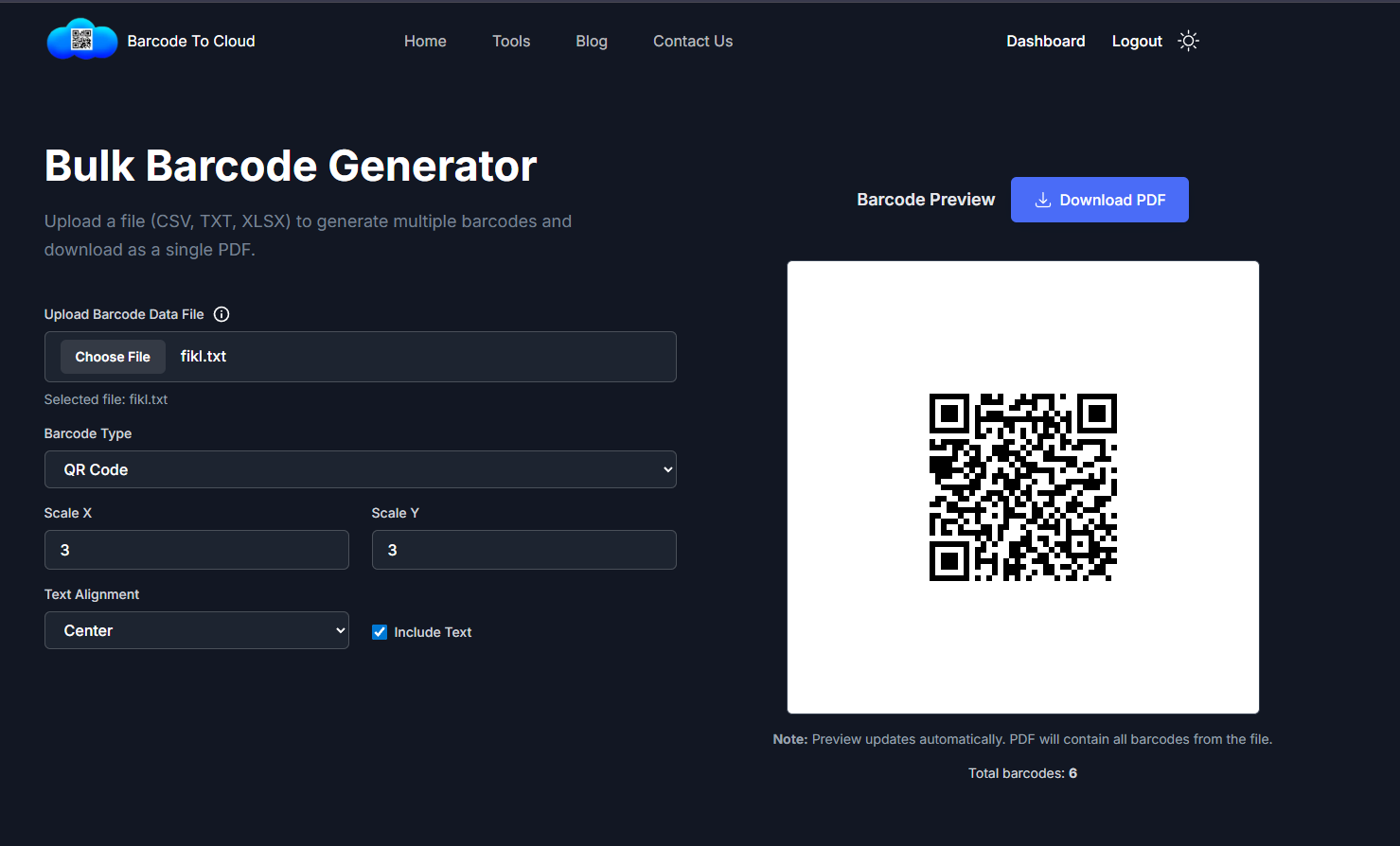
To get started, upload a barcode data file using the Choose File button.
Once selected, the file name is displayed below the upload field to confirm successful selection.
Example:
fiki.txt
Barcode Configuration Options
The tool provides multiple customization options to control how barcodes are generated and displayed.
Barcode Type
Select the type of barcode to generate.
Currently selected:
- QR Code
Scale Settings
Control the size of the barcode using scaling options:
- Scale X – Horizontal scaling
- Scale Y – Vertical scaling
Example values:
- Scale X:
3 - Scale Y:
3
Text Alignment
Choose how the barcode text is aligned:
- Center (default)
Include Text
Enable the Include Text option to display the barcode value along with the generated barcode.
Barcode Preview
On the right side of the screen, a live barcode preview is displayed.
This preview updates automatically whenever:
- A new file is uploaded
- Barcode settings are changed
The preview helps users verify barcode appearance before downloading the final output.
Download PDF
Click the Download PDF button to export all generated barcodes into a single PDF file.
The PDF includes:
- All barcodes from the uploaded file
- Applied scale, alignment, and text settings
Additional Information
-
The total number of barcodes generated from the uploaded file is displayed at the bottom.
-
Example:
- Total barcodes: 6
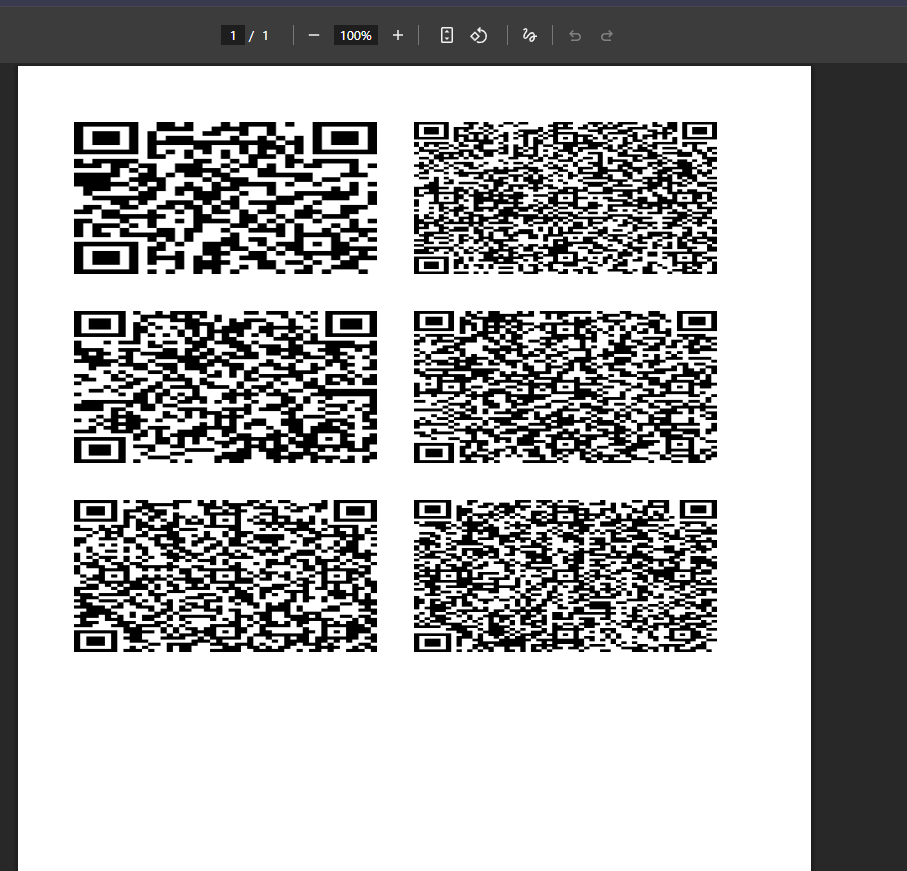
Note: The preview shows only a sample barcode, but the downloaded PDF will contain all barcodes from the uploaded file.
This feature is ideal for inventory management, asset tracking, labeling, and bulk barcode generation workflows.