
Asana Grid Integration
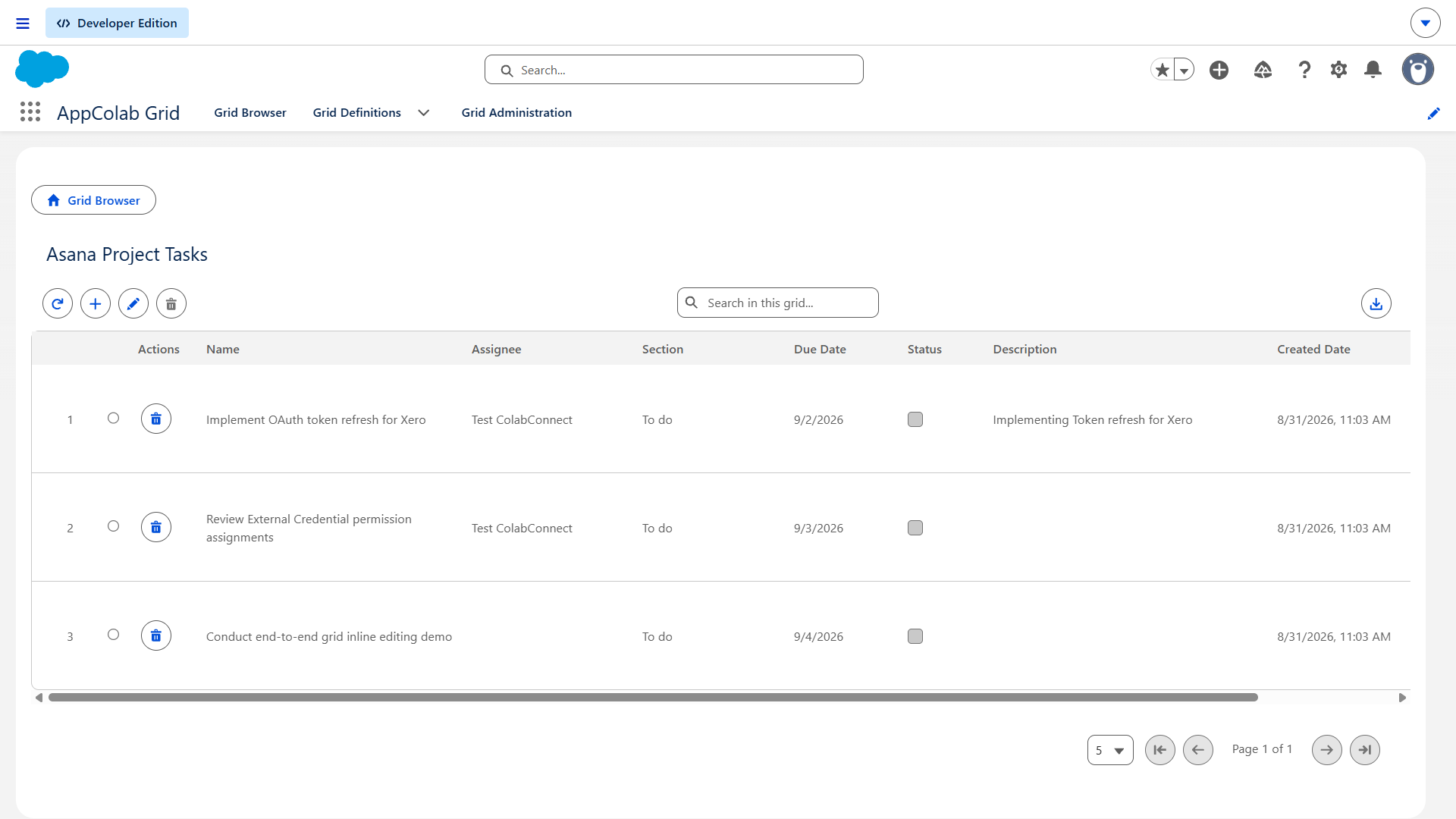
The Asana Grid integration connects your Asana Projects & Tasks directly into AppColab Grid for live task visibility, real-time search, server-side pagination, and inline task updates right inside Salesforce.
What’s Deployed
| Component | Name | Purpose |
|---|---|---|
| Named Credential | Asana |
Connects to https://app.asana.com via Asana External Credential |
| External Credential | Asana |
Custom authentication with Bearer <Personal_Access_Token> |
| Apex Client | AsanaClient.cls |
REST client supporting getTasksByProject, getTask, createTask, updateTask, deleteTask |
| Apex Data Provider | AsanaGridDataProvider.cls |
Implements appcg.GridDataProviderV1 and appcg.GridDataMutationProviderV1 with full CRUD |
| Permission Set | Integration_Admin |
Grants access to Asana → ApiKey external credential principal |
One-Time Manual Setup
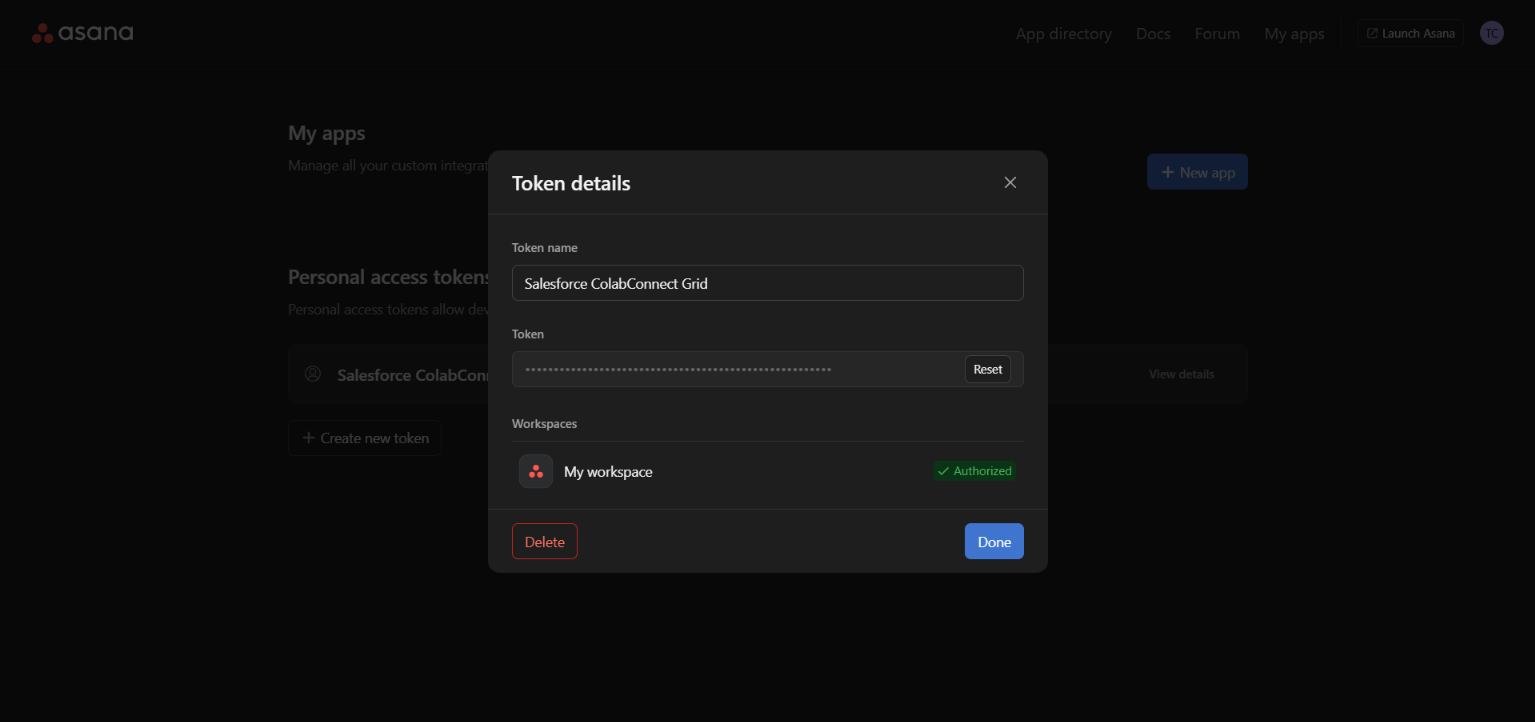
1. Generate Your Free Asana Personal Access Token (PAT)
- Log in to Asana and go to the Asana Developer Console.
- Under the Personal access tokens section, click + New access token:
- Token description:
AppColab Grid Integration - Check the terms agreement.
- Click Create token.
- Token description:
- Copy the generated token (e.g.,
1/1208945678901234:abcdef...).
2. Configure Credentials in Salesforce Setup
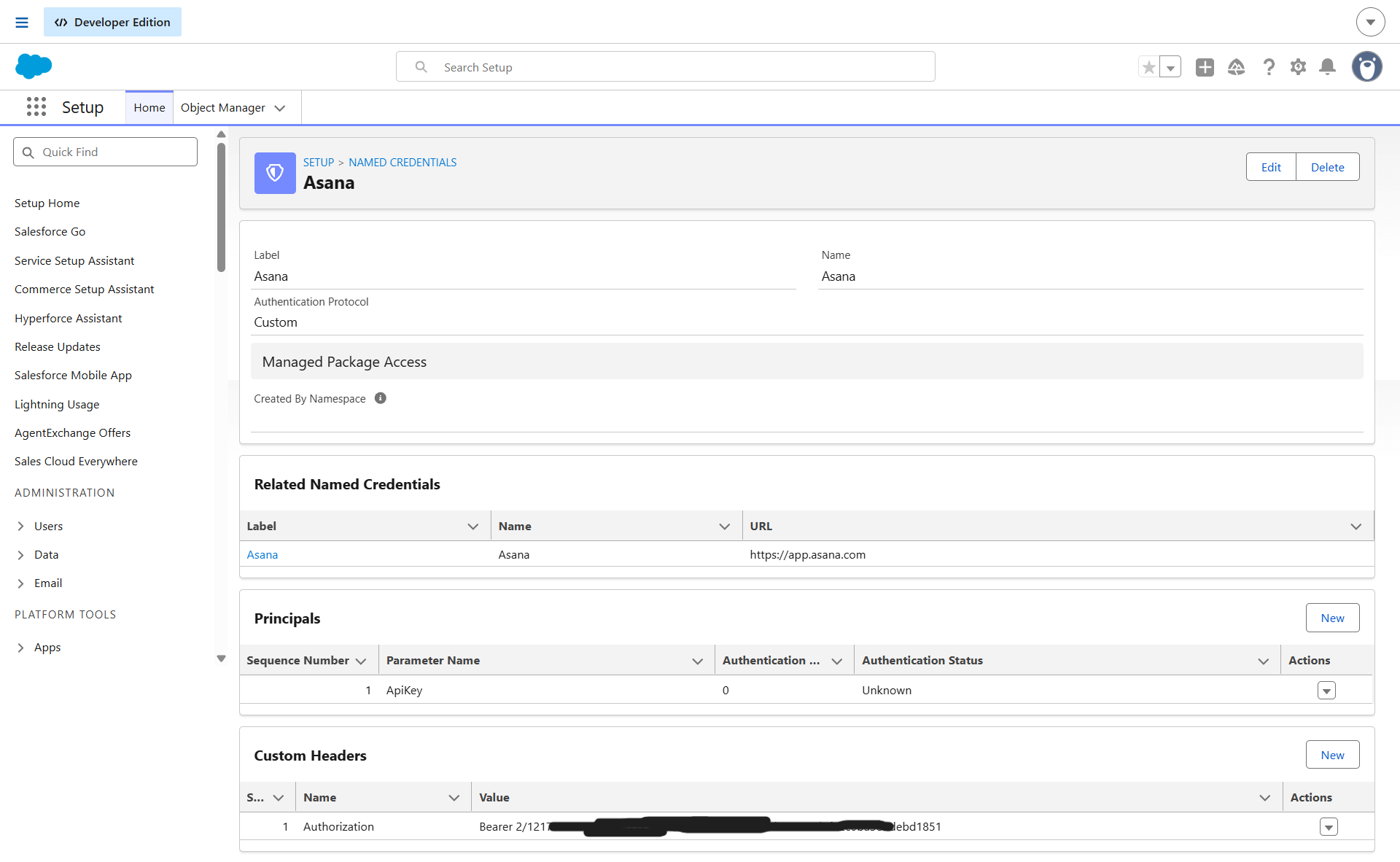
2.1 Create the External Credential
- Go to Setup (gear icon ⚙️ → Setup).
- In the Quick Find box, enter Named Credentials and select Named Credentials.
- Click the External Credentials tab → click New:
- Label:
Asana - Name:
Asana - Authentication Protocol:
Custom - Click Save.
- Label:
- In the Principals section, click New:
- Parameter Name:
ApiKey - Sequence:
1 - Click Save.
- Parameter Name:
- In the Custom Headers section, click New:
- Name:
Authorization - Value:
Bearer YOUR_ASANA_TOKEN(paste your token from Step 1) - Sequence Number:
1 - Click Save.
- Name:
2.2 Create the Named Credential
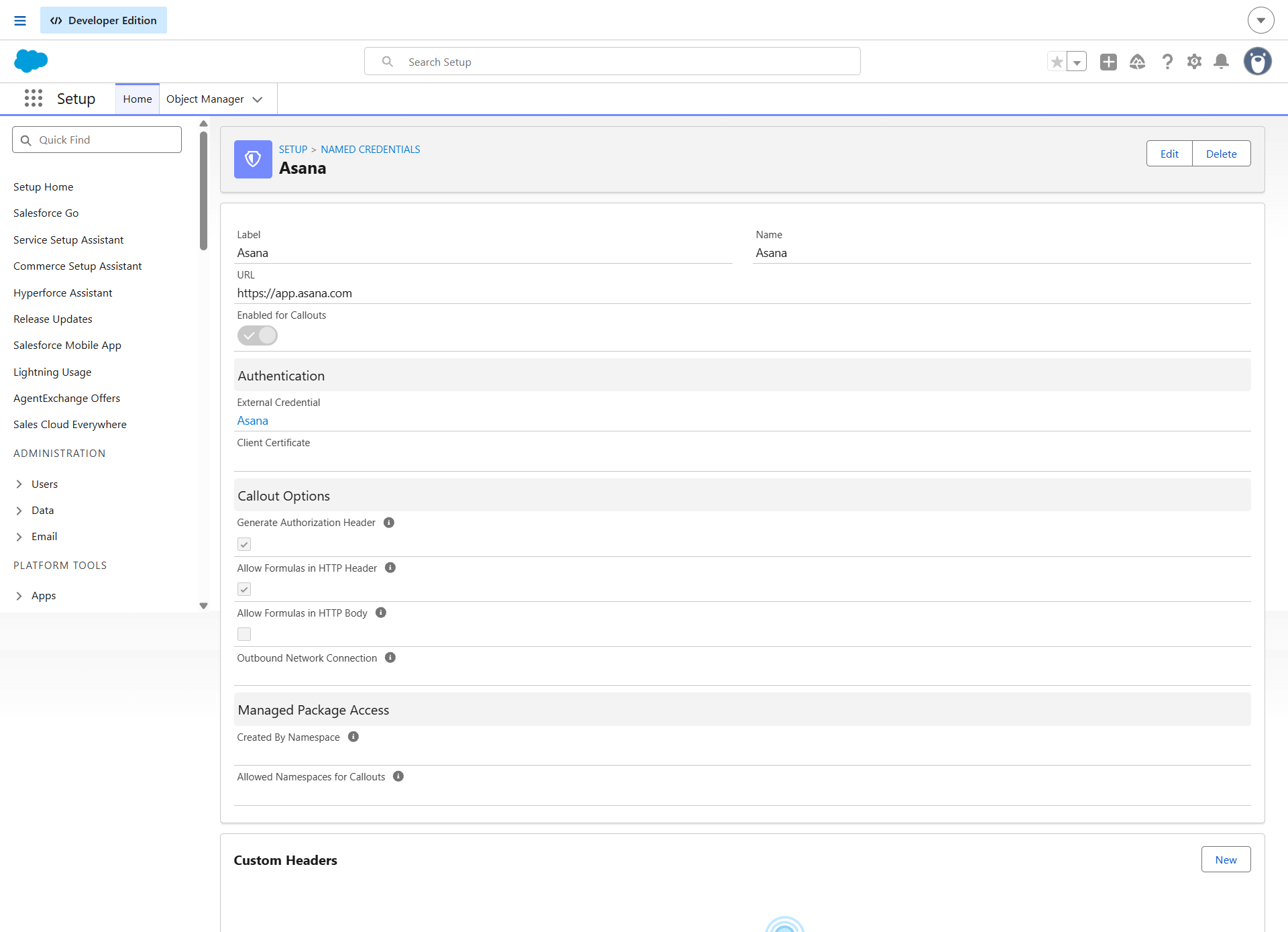
- Click the Named Credentials tab (next to External Credentials) → click New:
- Label:
Asana - Name:
Asana - URL:
https://app.asana.com - External Credential: Select
Asana - Generate Authorization Header: Leave Unchecked (handled by custom Authorization header)
- Allow Formulas in HTTP Header: Checked
- Label:
- Click Save.
3. Assign Permission Set Access
- In Salesforce Setup, enter Permission Sets in Quick Find.
- Select Integration Admin (or
Appcolab Grid Admin). - Click External Credential Principal Access → click Edit.
- Add
Asana - ApiKeyto Enabled External Credential Principals. - Click Save and verify the permission set is assigned to your Salesforce users.
Creating an Asana Grid Definition
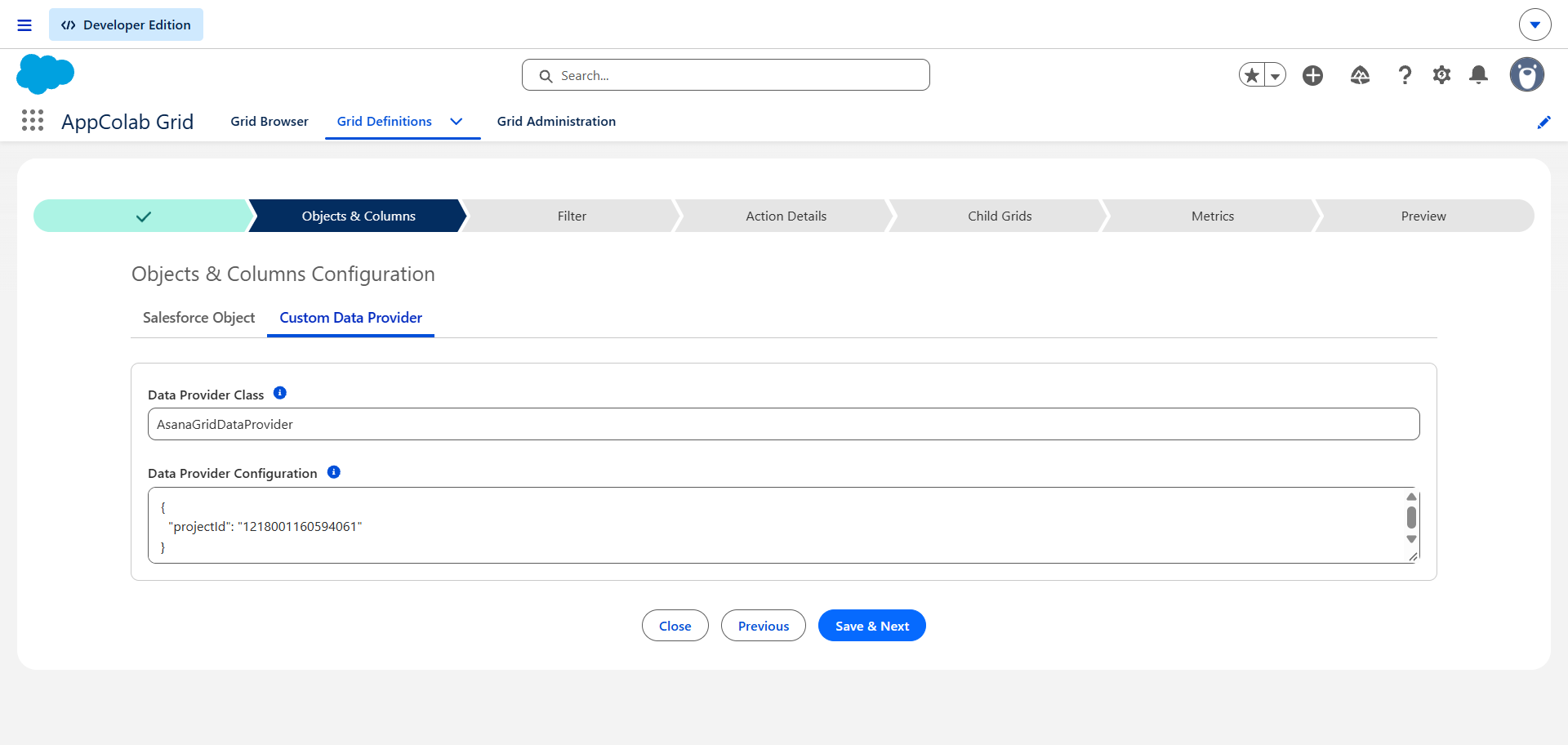
- In Salesforce, open AppColab Grid app → Grid Definitions tab → click New Grid Definition.
- Fill in:
- Grid Settings Name:
Asana_Project_Tasks - Grid Label:
Asana Project Tasks - Is Active?: Checked
- Data Provider Class:
AsanaGridDataProvider - Data Provider Configuration:
{ "projectId": "1208945678901234" }Tip: Find your
projectIddirectly in your Asana browser URL:
https://app.asana.com/0/1208945678901234/list
- Grid Settings Name:
- Click Save & Next → proceed to Preview.
- All tasks for that project render with live task names, completion status, assignees, and due dates!
Supported Grid Features
| Column / Feature | Data Type | Notes |
|---|---|---|
| Name | TEXT |
Task title (editable) |
| Completed | BOOLEAN |
Checkbox toggle to complete/uncomplete tasks |
| Assignee | TEXT |
Name of assigned team member |
| Due Date | DATE |
Task due date (editable) |
| Notes / Description | TEXT |
Task description |
| Created At | DATETIME |
Task creation timestamp |
| Server Pagination | Core Feature | Efficiently pages through large projects |
| Full CRUD | Mutations | Inline-edit tasks, create new tasks, or delete tasks directly from Salesforce |
Troubleshooting
401 Unauthorized: Not Authorized: Make sure the Asana PAT starts withBearerand was copied completely without extra spaces.404 Not Found: project: Not a recognized input: Verify theprojectIdnumber from your Asana browser address bar.User doesn't have access to the external credential principal: Ensure theIntegration Adminpermission set is assigned to your Salesforce user.