
Displaying Data from External Systems
AppColab Grid allows you to display, search, inline-edit, and manage data from external third-party systems directly within Salesforce—without copying, syncing, or duplicating records into your Salesforce database.
Whether your data lives in Google Sheets, Airtable, Asana, Stripe, PostgreSQL / Supabase, HubSpot, Shopify, or another Salesforce Org, AppColab Grid connects in real time using secure, enterprise-grade Salesforce Named Credentials.
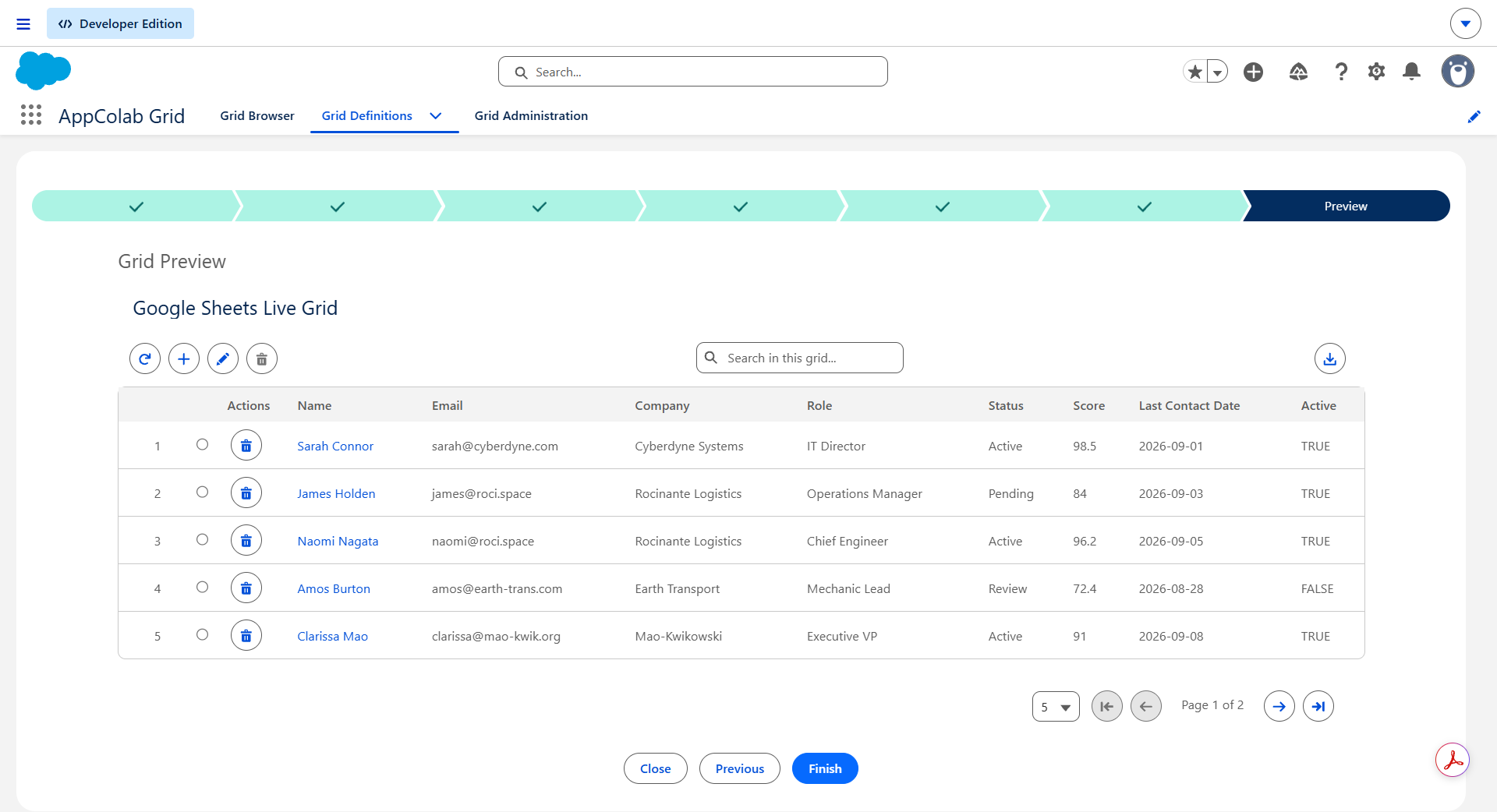
In this example data from a Google sheet is displayed in the Salesforce grid.
Why Use External Data Grids?
- Zero Storage Impact: Data is queried on demand via REST APIs. You don’t burn Salesforce data storage limits or pay for expensive custom object storage.
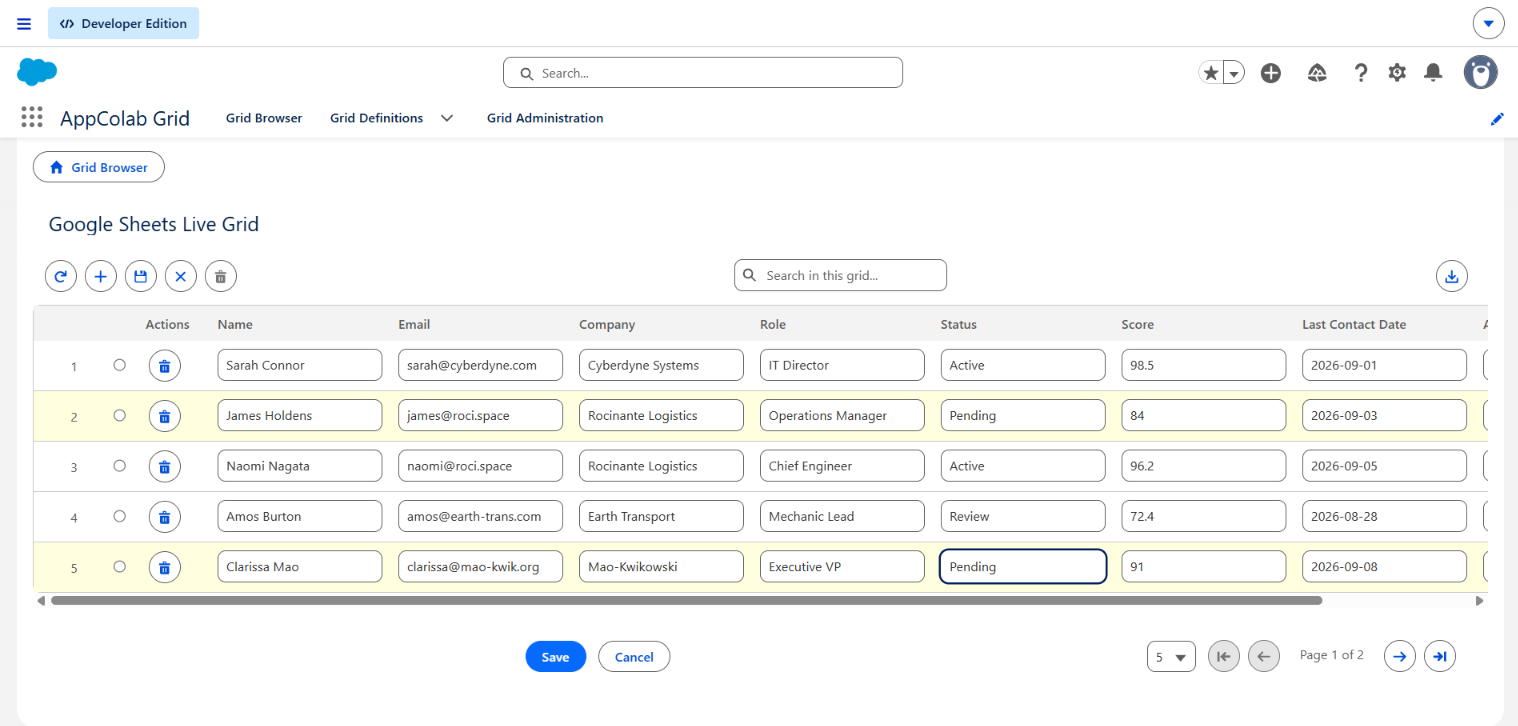
- Full Spreadsheet Interactivity: You get the full power of AppColab Grid—instant text search, multi-column sorting, column reordering, responsive pagination, inline editing, row creation, row deletion, and CSV download.
- Enterprise Security: Authentication is handled entirely through Salesforce Named Credentials and External Credentials (supporting OAuth 2.0, Personal Access Tokens, and API Keys).
Available Integrations
Browse our dedicated step-by-step guides for connecting your external data sources:
| Platform | Capabilities | Auth Type | Setup Guide |
|---|---|---|---|
| Google Sheets | View, Search, Inline Edit, Add Row, Delete Row, Export | OAuth 2.0 | Google Sheets Guide |
| Airtable | Dynamic Schema, View, Search, Inline Edit, Create, Delete | Personal Access Token | Airtable Guide |
| Asana | Projects, Tasks, Assignees, Due Dates, Status | Personal Access Token | Asana Guide |
| HubSpot | Contacts, Companies, Deals, Email Timeline | Private App Token | HubSpot Guide |
| Stripe | Customers, Invoices, Subscriptions, Charges | Secret Key | Stripe Guide |
| Supabase | Live PostgreSQL Tables, Full CRUD, Filtering | API Key (Anon) | Supabase Guide |
| Trello | Boards, Lists, Cards, Due Dates, Status | API Key + Token | Trello Guide |
| Shopify | Products, Orders, Customers, Inventory | Admin API Token | Shopify Guide |
| Salesforce Cross-Org | Query & Edit records in another Salesforce Org | OAuth 2.0 Client Credentials | Cross-Org Guide |
| Google Analytics 4 | Top Pages, Traffic Sources, Geo Demographics | Google OAuth 2.0 | Google Analytics Guide |
| Gmail | Message Threads, Subject, Sender, Timestamps | Google OAuth 2.0 | Gmail Guide |
| QuickBooks Online | Invoices, Customers, Payments, Accounting | OAuth 2.0 | QuickBooks Guide |
| Xero | Invoices, Contacts, Accounts, Bank Transactions | OAuth 2.0 | Xero Guide |
| Microsoft Excel | OneDrive/SharePoint Spreadsheets, Full CRUD | Microsoft OAuth 2.0 | Microsoft Excel Guide |
| Microsoft Outlook | Mail Messages, Calendar Meetings, Contact Email Sync | Microsoft OAuth 2.0 | Microsoft Outlook Guide |
How It Works
AppColab Grid provides custom data provider classes for integrating with popular external systems like Google sheets, Airtable, Hubspot, Stripe Asana etc. Please refer the list below for the readily available list of integrations. You can easily integrate with other sytems as well.
Step-by-Step Setup Overview
Setting up an external grid follows a simple 4-step workflow:
1. Deploy the Integration Provider
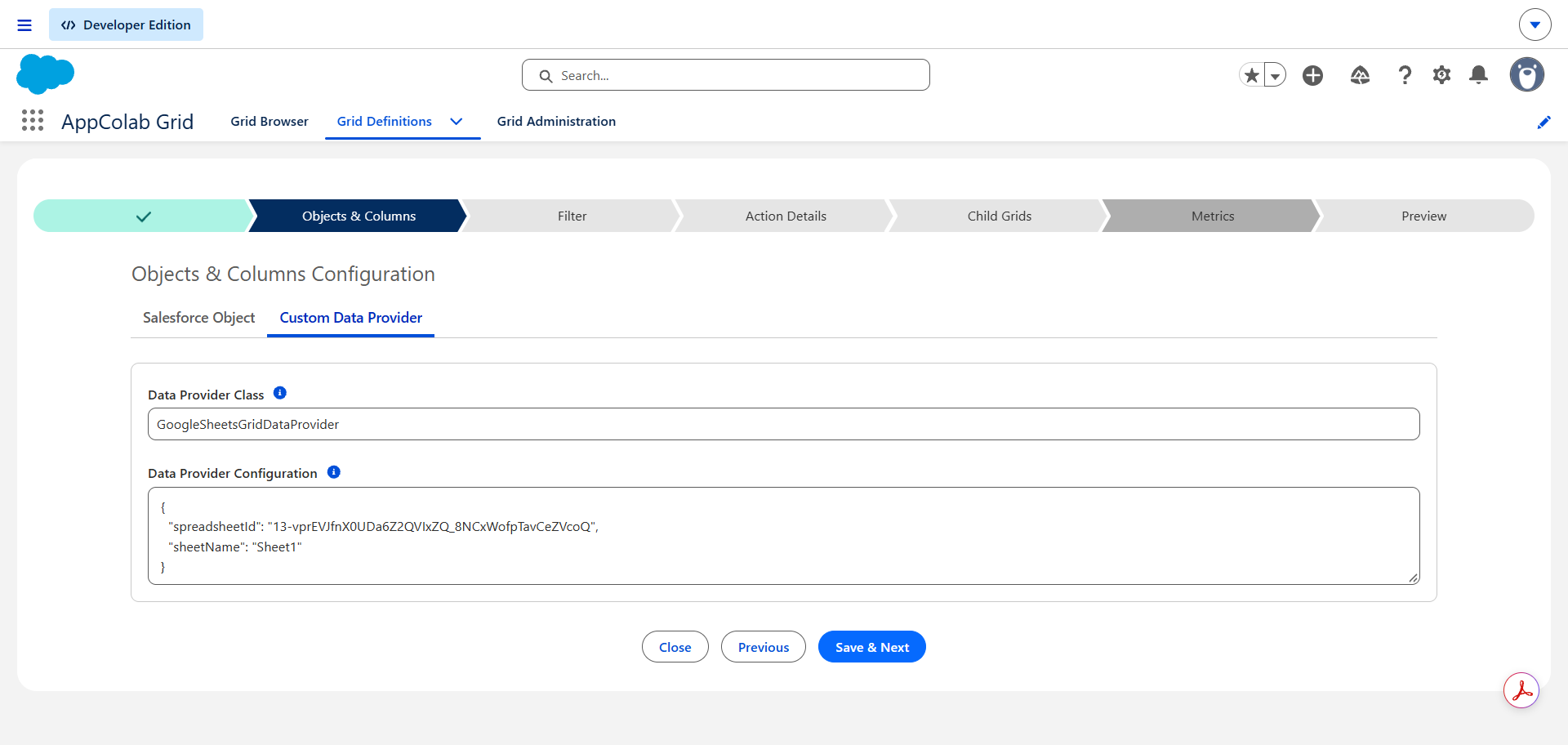
Each external connection consists of an Apex Client (which communicates with the external REST API) and a Grid Data Provider class implementing appcg.GridDataProviderV1. Please reach out to get these recipe classes.
2. Configure Credentials in Salesforce Setup
Create a Named credentials in teh system under Setup → Security → Named Credentials
3. Grant Permission Set Access
Users must have permission to access the External Credential Principal to make callouts:
4. Create the Grid Definition record
Create a Grid Definitions record wiht the data provider class you need.
Grid is Ready!
Best Practices & Tips
- Server-Side Pagination: For large external datasets (like Stripe customers or Xero invoices), configure Server-Side pagination in your Grid Definition to fetch records page by page, keeping the UI fast and responsive.
- Embedding on Record Pages: You can filter external grids by parent record IDs (e.g. showing only HubSpot emails associated with the current Salesforce Contact’s email address) by passing context into the provider.